Install Steam
sign in
|
language
简体中文 (Simplified Chinese)
繁體中文 (Traditional Chinese)
日本語 (Japanese)
한국어 (Korean)
ไทย (Thai)
Български (Bulgarian)
Čeština (Czech)
Dansk (Danish)
Deutsch (German)
Español - España (Spanish - Spain)
Español - Latinoamérica (Spanish - Latin America)
Ελληνικά (Greek)
Français (French)
Italiano (Italian)
Bahasa Indonesia (Indonesian)
Magyar (Hungarian)
Nederlands (Dutch)
Norsk (Norwegian)
Polski (Polish)
Português (Portuguese - Portugal)
Português - Brasil (Portuguese - Brazil)
Română (Romanian)
Русский (Russian)
Suomi (Finnish)
Svenska (Swedish)
Türkçe (Turkish)
Tiếng Việt (Vietnamese)
Українська (Ukrainian)
Report a translation problem




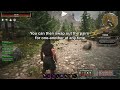





Oh well I don't really like magic anyway. I much prefer my trusty quality of life shortcut bar. 😂
What is highly likely though is that you are using another mod which replaces the shortcut bar to a custom one (like ToT immersive hud for example). Since that one is using a completely self-contained custom shortcut bar, my modification cannot touch it.
The mod still works with it and you can swap items, you just cannot see the little icons. If you are using that mod though, it is configurable and allows you to disable the custom shortcutbar without affecting anything else in which case the icons would work again.
did any new UI updates mess with your mod? I reinstalled after a while and saw some ui changes and the upper slot is not visible anymore, though it does still function.
I do have other mods but they were never a problem in the past
That mod has some warlock class or whatever that has hardcoded keybindings reserved for shift + number keys.
If that's the case you could try to move this mod above it in the modlist, though if you wanted both to work you'd have to use a different modifier or rebind to different keys in my mod since this allows for it